You may wish to limit how many times, or how frequently a member completes a behaviour.
To change these settings, go to the Loyalty Management tab, then select ‘Point & frequency limits’.
You’ll see three different settings:
- Completing custom behaviours.
- Referring a friend.
- Social sharing.
- To change any of these, click the
 to the right of the behaviour.
 - To set a limit, tick ‘Limit points that can be earned?’
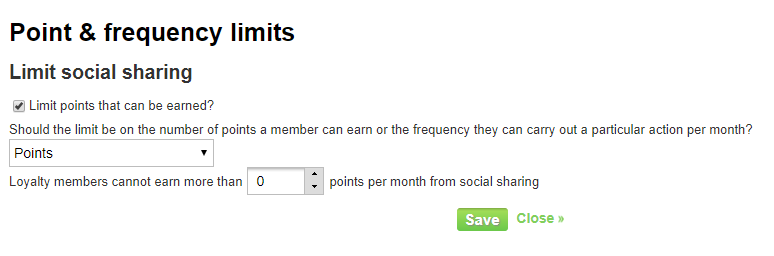
- From the drop-down list, select whether you’d like to limit the behaviour based on ‘Points’ or ‘Frequency’.
- Type in a number, or use the arrow keys, to indicate how many points/frequency the limit should be set to.
- Click

- You’ll be taken back to the ‘Point & frequency limits’ page, where you’ll see the new settings have been saved. If you want to view the behaviour limits, without editing it, click the
