Control groups
A control group is created from a pre-existing group of more than 100 contacts. If the group has less than 100 contacts, creating a control group isn’t possible.
- Once you have created a group, when viewing the group in Contact Management > Groups, click the ‘Create control group’ icon to the right of the group

- The Control group window will pop up. First, name your group

- Choose the 'Source group percentage'. This is the percentage of the original group to use for the new control group
-
If you wish to set limits on contacts joining the control group, select the 'Ongoing?' option
- If you have selected the 'Ongoing?' option, set the 'Ongoing percentage'. This determines the threshold new contacts joining the source group will be added to the control group
- Click

Excluding contacts from control groups
You can ensure particular contacts are not included in control groups. To do so:
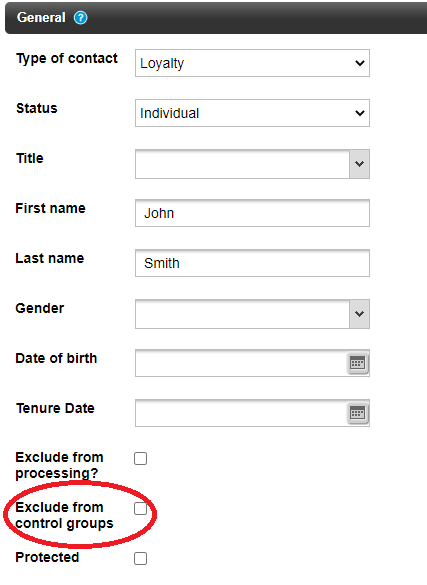
- In a contact's contact record, go to the General tab.
- Scroll down to 'Exclude from control groups' and tick the tick box
- Click
It's also possible to exclude control groups from promotions and triggered messages.
Snapshot groups
You may wish to save a group in its current state, to ensure the group of contacts stay the same, as groups can change (such as due to promotion eligibility).
- To take a “group snapshot” click on the highlighted icon below in the row for the group you’d like to snapshot.

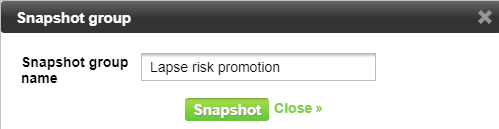
- Next, give the snapshot a name:
- Click
