When a member/third party presents an on-pack code, a particular action is carried out. The codes to use and the action triggered can all be configured in Horizon. Currently
How to setup on-pack codes
- Before you setup your on-pack codes, you'll need to create file containing all of your on-pack codes. The file will need to be in .xls or .csv format.
- In Horizon, go to the Offer management tab, then select 'Manage on-pack codes' from the left-hand menu.
- Click

- Fill in the on-pack details. Fields marked with * are mandatory.
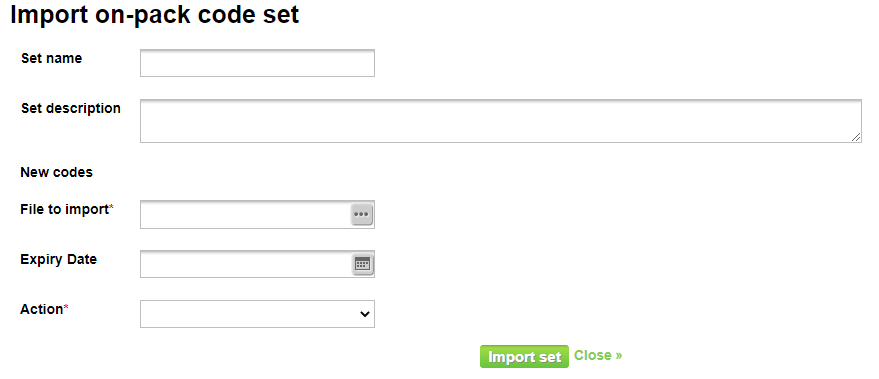
- Click

- You'll be taken back to the 'Manage on-pack codes' screen where you'll see your newly imported on-pack codes. Here you will see the on-pack codes name, description, action, codes imported, codes used, codes remaining, expiry date, and the edit and delete action buttons.
- If you wish, you can add more on-pack codes or replace a set. To do so, edit the set. You will see a new section, 'New codes'.
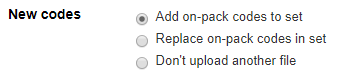
Once you select to add or replace the on-pack codes, the 'File to import' field will be editable.
Select your file and click